
Free PDF tools
Portable Document Format (PDF) a file format created by Adobe Systems was made as a utility for desktop publishing. PDF documents are used for displaying two-dimensional documents through a device independent and display resolution independent fixed layout document format.

Not only does it make your documents printable and presentable, but it also makes it light in size, in addition to locking the contents of the file from further editing.
Listed below are links which enable you to manipulate and create PDF files to create official and formal documents and presentation. While some applications enable you to merely read the PDF documents, some also enable you to set the page mode like displaying the PDF files in full screen mode, outlines mode, thumbnail mode, or simply without any special mode.
Links:
- A-PDF Text Extractor 1.4.4
- a free utility designed to extract text from Adobe PDF files. review
- AbleWord 3.0
- probably the only true freeware PDF editor. It's also compatible with DOC, DOCX, RTF, TXT and HTML files. Totally free even for commercial use. review
- Adobe Acrobat Reader 11
- Tool to let you read the PDF documents. review
- Bullzip PDF Printer 14.0.0.2944
- works as a Microsoft Windows printer and allows you to write PDF documents from virtually any Microsoft Windows application. review
- Cool PDF Reader 3.3
- very small PDF viewer/reader to view and print PDF files, and convert PDF's to TXT, BMP, JPG, GIF, PNG, WMF, EMF, EPS. It is only 655KB to download and doesn't need lengthy installation, just download, unzip, and run. review
- CutePDF 4.0
- PDF converter that installs itself as as virtual printer so you can generate PDFs from any Windows application. review
- doPDF 11.7.367
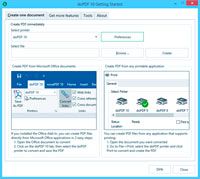 allows you to freely convert documents to PDF files. It installs as a printer driver, enabling you to print from any Windows application. Features include: customizable resolution, quality settings, predefined page size and more.
review
allows you to freely convert documents to PDF files. It installs as a printer driver, enabling you to print from any Windows application. Features include: customizable resolution, quality settings, predefined page size and more.
review
- Free PDF to Word Doc Converter 1.1
- desktop document conversion tool to convert Adobe PDF file to Microsoft Word Doc file. review
- Ghostscript 9.55.0
- interpreter for the PostScript language and for PDF. review
- PDF-XChange Viewer 2.5.203
- small and fast PDF reader. review
- PDF24 Creator 11.10.0
 free tool to create PDF files from almost any application. It acts as a PDF printer.
review
free tool to create PDF files from almost any application. It acts as a PDF printer.
review
- PDF995 7.42s
- Fast way to create professional-quality documents in the popular PDF file format. Its easy-to-use interface allows you to create PDF files by simply selecting the "print" command from any application. For Windows 95, 98, 2000 and Me, NT 4.0 and XP. review
- PDFCreator 1.1.0
- Easy way of creating PDFs out of common software Like Word, StarCalc oder every other Windows application that uses the Windows printers. review
- PDFill PDF Tools
- free pdf tools including: merge, split, reorder, encrypt, decrypt, rotate, crop, reformat, header, footer, watermark, images to pdf, pdf to images, form fields delete/flatten/list, postscript to pdf, pdf information, scan to pdf, and create transparent image options. review
- SepPDF 3.65
- split multiple pages PDF into individual single PDF files for each page . review
- Sumatra PDF 3.4.6
 slim, free, open-source PDF reader for Windows. Portable out of the box. Small and and starts up very fast.
review
slim, free, open-source PDF reader for Windows. Portable out of the box. Small and and starts up very fast.
review
- TinyPDF
- very small PDF creation software that will let you print to PDF from virtually any Windows application. Free for personal and commercial use. review
- Tweak PDF 3.0
 With this freeware utility you are allowed to set the initial view preferences of a PDF document, such as whether to center window of the PDF file when opened, whether to display document title, to fit window, to hide menubar, to hide toolbar, and to hide window UI. When window UI is made hidden, a PDF file is just like a PowerPoint slide zoomed to full screen. You can even set the page mode of a PDF document, such as show PDF files in full screen mode, outlines mode, thumbnail mode, or simply without any special mode. Page Layout also comes as an option for you to tweak. PDF document properties such as title, subject, author, keywords can be modified with Tweak PDF.
review
With this freeware utility you are allowed to set the initial view preferences of a PDF document, such as whether to center window of the PDF file when opened, whether to display document title, to fit window, to hide menubar, to hide toolbar, and to hide window UI. When window UI is made hidden, a PDF file is just like a PowerPoint slide zoomed to full screen. You can even set the page mode of a PDF document, such as show PDF files in full screen mode, outlines mode, thumbnail mode, or simply without any special mode. Page Layout also comes as an option for you to tweak. PDF document properties such as title, subject, author, keywords can be modified with Tweak PDF.
review
last website update: 20-Dec-2025 - 13:38:36