
Free backup software

You heard it many times, that you have to backup data. It's not needed till the first crash and all your work is lost.
All of the backup solutions below are free and you only have to download and set it up to start making regular backups, that can even be automatic.
Hard drives fail, it's not about 'if' but 'when'!
And when something happens (crash of your disk, virus, your computer gets stolen ...) you can restore all of your data in a short time from the external drive, tape, DVD, cloud backup or zip file. Choose a free backup software from the list and start protecting you against data-loss today! And don't forget to try restoring your files from time to time, to be sure ... ;)
Best Free Backup Tools:
- Allway Sync 22.0.1
- free file and folder synchronizer, it synchronizes local, network or removable files and folders. Fast, safe, stable and easy-to-use. review
- Alternate File Move 2.350
- a simple program for synchronization (or mirroring) content of two folders. review
- Areca Backup 7.4.8
- backup program that supports incremental (you can navigate among different version of the files contained in your archives) and image backup on local drives and FTP servers. Open source. review
- AutoVer 2.2.1
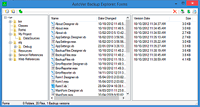 configurable automatic or real time backup and personal versioning system. It can be used as a simple real time backup or as a more complex, but transparent version control system (like a realtime incremental backup). The beauty of this system is that once you set it up (which is extremely simple) it does everything. No remembering to backup or to check in or check out files. Every time you save a file it is copied to your backup folder, drive or FTP server. You can include and exclude certain files and browse the backups with the Backup Explorer.
review
configurable automatic or real time backup and personal versioning system. It can be used as a simple real time backup or as a more complex, but transparent version control system (like a realtime incremental backup). The beauty of this system is that once you set it up (which is extremely simple) it does everything. No remembering to backup or to check in or check out files. Every time you save a file it is copied to your backup folder, drive or FTP server. You can include and exclude certain files and browse the backups with the Backup Explorer.
review
- Bart 3.1
- a file and folder backup / synchronization tool, which transfers changes from multiple source directory trees to destination trees. When run, it will copy any files which have changed since the last run, bringing the destination up to date with the source in an efficient way, copying only files required. review
- Cobian Backup 11.2.0.582
 software to backup files and whole directories. You can set the program to automatically make a backup within regular intervals of time. The program can also use pkzip.exe 2.50 or newer as an external application to compress your files or directories.
review
software to backup files and whole directories. You can set the program to automatically make a backup within regular intervals of time. The program can also use pkzip.exe 2.50 or newer as an external application to compress your files or directories.
review
- Create Synchronicity 6.0
- a powerful and very lightweight open source backup and synchronization program. review
- CryptSync
- a small utility that synchronizes two folders while encrypting the contents in backup folder. review
- dBackup
- simple backup solution, it allows you to select a source and destination set of folders, and then replicate the source, including the folder structure, at the destination. review
- DriveImage XML 2.50
- program for imaging and backing up partitions and logical drives. Image creation uses Microsoft's Volume Shadow Services (VSS), allowing you to create safe 'hot images' even from drives currently in use. Images are stored in XML files, allowing you to process them with 3rd party tools. Supports drives drives formatted with FAT 12, 16, 32 and NTFS. review
- Dsynchronize 2.48
- a stand-alone utility that let you periodically synchronize two or more folders on hard drive, network location, USB key and FTP server. review
- FBackup 9.8.743
 a free backup software with an easy to use interface. Creates standard zip files or exact copies of files, backs up open files and lets you protect your backed up files using zip passwords. Also includes many plugins for easy backing up the most popular applications with all settings and other required files like Google Chrome, Thunderbird, Photoshop and more. It is free for both personal and commercial use.
review
a free backup software with an easy to use interface. Creates standard zip files or exact copies of files, backs up open files and lets you protect your backed up files using zip passwords. Also includes many plugins for easy backing up the most popular applications with all settings and other required files like Google Chrome, Thunderbird, Photoshop and more. It is free for both personal and commercial use.
review
- FileFort 1.00
- file backup software that will automatically backup your critical data to virtually any type of storage media including CD, DVD, Blu-ray and remote FTP servers. review
- FreeFileSync 12.2
- a folder comparison and file synchronization software that creates and manages backup copies of all your important files. Instead of copying every file every time, FreeFileSync determines the differences between a source and a target folder and transfers only the minimum amount of data needed. review
- Handy Backup 2.1
- backup software designed for Windows. It makes an automatic backup of your critical data virtually to any type of storage media: floppy disks, hard-disk, network drive, or a remote FTP server. You only need to setup it once and it will monitor changes and execute scheduled backups and synchronizations at the time you specify. Strong file encryption, password protection and zip compression on the fly and many other features will protect your valuable data. review
- Horodruin 6.3.738.0
- a file synchronizer that can handle more than only one folder. 2 reviews
- Karen's replicator 3.7.6
- automatically back-up files, directories, even full backup of entire drives. Source and destination folders can be anywhere on your network. review
- Personal Backup 6.2.23.0 / 6.3.1.0
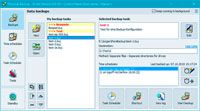 easy to use backup tool with ton of functions, including backup via FTP.
review
easy to use backup tool with ton of functions, including backup via FTP.
review
- Rclone 1.61.1
- an opensource command line program to manage files on cloud storage. Supports many cloud storage services. review
- Rdiff-backup 2.2.4
- differential backup tool. In the target folder will be a copy of the source directory, plus the extra reverse diffs will be stored in a special subdirectory, so you can recover files deleted/lost some time ago. review
- Simple Data Backup 11.3
- free, easy to use and efficient backup software that can back up folders/files from one drive to another anytime you want on-demand, on a schedule, or at logon. You can back up to another hard drive, network drive, flash drive, cloud storage via FTP, SSH, or WebDav. It can create identical folder/file structures on the backup drive, or can compress the data as ZIP or .7z files. It can back up 'in use' files (including Outlook data). review
- SQLBackupAndFTP 10.2.13
- runs scheduled backups of SQL Server databases, zips the backups, stores them on a network or on a FTP server, removes old backups, sends an e-mail confirmation on job's success or failure. review
- SyncBack Free 10.2.99.0
- Easily backup, synchronize, or restore your files to another drive, FTP server, ZIP file, networked drive, or removable media. Highly configurable, SyncBack includes: detailed, easy to read log files, email results, simulated backup and recovery, file filters, sub-directory selection, copy verification, background backups, auto-close of programs, easy and expert modes, profile groups, compare files, and an extensive context sensitive help file. 1 review
- Syncfolders 3.4.527
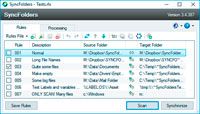 a simple tool that will help you to synchronize the content of two folders, including any subfolders. The folders may be on different disk drives, on the network, or storage devices attached to the USB port, including external hard drive, flash drives, and any other type of USB storage device. The program allows you to easily copy new and updated files and folders in either or both directions.
review
a simple tool that will help you to synchronize the content of two folders, including any subfolders. The folders may be on different disk drives, on the network, or storage devices attached to the USB port, including external hard drive, flash drives, and any other type of USB storage device. The program allows you to easily copy new and updated files and folders in either or both directions.
review
- Syncthing 1.23.4
- open source program for continuous file synchronization. It can synchronize files between two or more computers. review
- SyncTrayzor 1.1.29
- a little tray utility for Syncthing on Windows. It hosts and wraps Syncthing, making it behave more like a native Windows application and less like a command-line utility with a web browser interface. review
- Unison 2.51.1
- a file synchronization tool for Windows, Unix and Mac that allows two replicas to be stored on different hosts. It works between any pair of machines connected to the internet, communicating over either a direct socket link or tunneling over an encrypted ssh connection. review
- ZipSnap 2.1
- simple command-line incremental data backup tool for directories. Creates compressed point-in-time snapshots, adds only new or modified files and directories at each time. Files are automatically numbered with a timestamp. review
Related categories:
- Free Internet services : Online backup
- Free Internet services : Online storage space
- Freeware : Utilities : File management : File compression
last website update: 20-Dec-2025 - 13:38:49